Sandbox documentation
Pinterest's API Sandbox allows you to test your integration with Pinterest API (v5) in a safe way, without affecting your production data. Once you have tested your integration and are ready to flip the switch to production, you can update your code to point your API calls to the production environment.
The set up process for Sandbox is very similar to the process in production.
Set up an app as outlined here
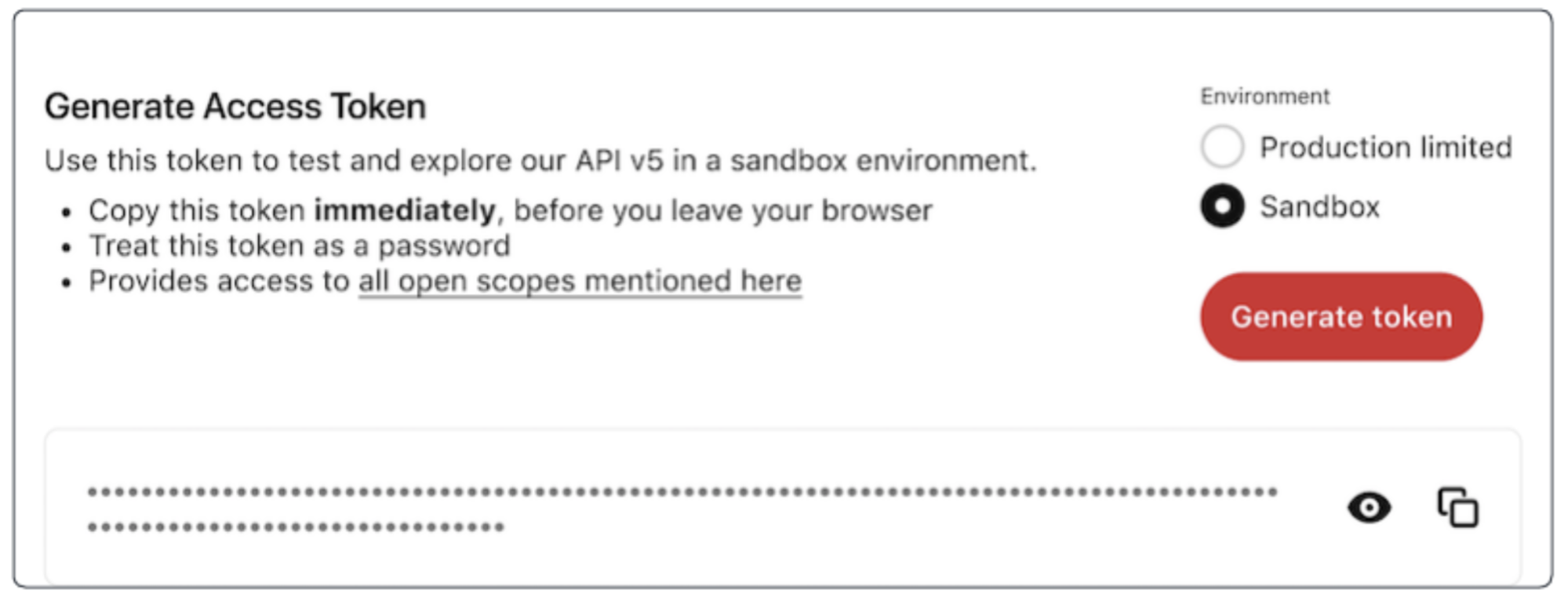
Go to the app management page to generate a Sandbox access token, which will be tied to your Pinterest user account. You will need to use this token for all your API calls to the Sandbox environment.
To generate a Sandbox access token take the following steps:
Use the Sandbox access token to make requests to the endpoints at api-sandbox.pinterest.com.
The base URL for the Sandbox environment is https://api-sandbox.pinterest.com/v5/. Use this base in the request path when you are trying to call the Sandbox API. Everything else about the call will be the same – the request header, the request body if any, and the response body. The only element of the request path that will change is that instead of “api.pinterest” it will read “api-sandbox.pinterest”.
Note:
Calls made to the Sandbox environment will only return Sandbox entities.
Action | In Production | In Sandbox |
Get a list of boards the user can access | GET https://api.pinterest.com/v5/boards --header 'Content-Type: application/json' --header 'Authorization: Bearer <PRODUCTION TOKEN>' | GET https://api-sandbox.pinterest.com/v5/boards --header 'Content-Type: application/json' --header 'Authorization: Bearer <SANDBOX TOKEN>' |
Create a board section | POST https://api.pinterest.com/v5/boards/{board_id}/sections --header 'Content-Type: application/json' --header 'Authorization: Bearer <PRODUCTION TOKEN>' | POST https://api-sandbox.pinterest.com/v5/boards/{board_id}/sections --header 'Content-Type: application/json' --header 'Authorization: Bearer <SANDBOX TOKEN>' |
Delete a board | DELETE https://api.pinterest.com/v5/boards/{board_id} --header 'Content-Type: application/json' --header 'Authorization: Bearer <PRODUCTION TOKEN>' | DELETE https://api-sandbox.pinterest.com/v5/boards/{board_id} --header 'Content-Type: application/json' --header 'Authorization: Bearer <SANDBOX TOKEN>' |
Only the endpoints below are supported in Sandbox at this time. Over time, we will add support for all Pinterest API (v5) endpoints to Sandbox.
Ads
Ad groups
Entities created in Sandbox will be not visible to anyone on Pinterest other than the owner of the entities. As the owner, you will be able to view the boards and Pins you create in Sandbox when you visit your own Pinterest user profile in the Pinterest mobile apps or on Pinterest.com.
Entities in the Sandbox environment are separate from entities in the production environment. For example, you cannot use a Pin in Sandbox to create an ad in production.
Currently, the only Sandbox-specific endpoint is the DELETE ad_accounts/{ad_account_id} endpoint.
Delete the ad account in Sandbox, along with all the entities associated with it in Sandbox, including ads, ad groups and campaigns. This endpoint is only available in the Sandbox environment. The response will include a string indicating the status of the delete operation.
ratelimit-category: ads_write
AUTHORIZATIONS: pinterest_oauth2: (ads:write)
PATH PARAMETERS
ad_account_id (Required)Type: String Unique identifier of an ad account
DELETE https://api-sandbox.pinterest.com/v5/ad_accounts/{ad_account_id}
204 -- Successfully deleted ad account
403 -- not authorized to access ad_account
404 -- ad account not found
When you are done testing your integration, switch from Sandbox to production with these steps: